Canva Alternative for Print Businesses — Why You Need Your Own Design Editor
Why print businesses need more than Canva. A white-label web-to-print editor gives you brand control, print-ready output, and storefront integration.
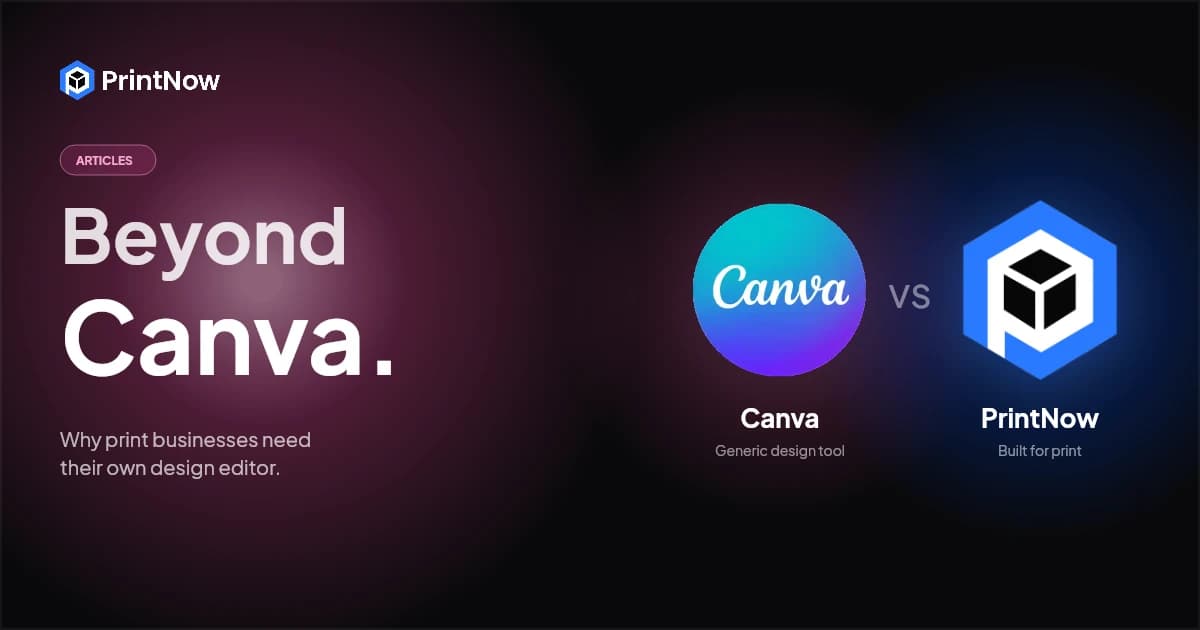
Canva is everywhere. It's the default design tool for millions of people, and if you run a print business, your customers are probably using it right now to create business cards, flyers, brochures, and banners before sending you the files.
So why not just let them?
Because every time a customer designs in Canva, they leave your website, work in someone else's tool, and then come back to place an order — if they come back at all. You lose control of the experience, the branding, the file quality, and often the sale itself.
The real Canva alternative for print businesses isn't another generic design app. It's a white-label design editor that lives inside your storefront, carries your branding, produces print-ready files, and keeps customers in your ecosystem from design to checkout.
The Problem with Canva for Print Businesses
Canva is an excellent tool for what it's designed to do — quick graphic design for digital content. But for print businesses selling custom products online, it creates several problems:
Customers Leave Your Site
When you tell customers to "design in Canva and upload your file," you're sending them to a platform with 190 million users, a marketplace of its own, and print partnerships with companies competing for the same order. Your customer may start designing a business card for your shop and end up ordering it through Canva Print instead.
No Print-Specific Output Controls
Canva works in RGB color space. It doesn't enforce bleed areas, safe zones, or trim marks. It doesn't generate CMYK-separated PDFs. It doesn't know your print specifications — substrate sizes, fold lines, perforation marks, or die-cut templates. Every file a customer uploads from Canva needs preflight checking, and a significant percentage need to be sent back for fixes.
For more on why this matters, see our guide on CMYK vs RGB — the color conversion issue alone accounts for a large share of print reprints.
No Template Locking
In Canva, users can move, resize, or delete anything. That's great for creative freedom, but terrible for branded print templates where logos must stay in position, legal text can't be altered, and bleed-critical elements must remain anchored. Print businesses need templates with locked zones — editable areas for personalization, fixed areas for brand compliance.
No Storefront Integration
Canva is a standalone design tool. It doesn't connect to your product catalog, pricing engine, shopping cart, or production workflow. Customers design in Canva, download a PDF, navigate back to your site, find the product, upload the file, configure options, and check out. Every extra step is a drop-off point.
No Brand Control
Your customers design in Canva's interface, with Canva's branding, Canva's templates, and Canva's upsells. Your brand disappears during the most creative and engaging part of the buying experience — the design process itself.
What a White-Label Print Editor Actually Does
A white-label web-to-print editor is fundamentally different from Canva. It's not a general-purpose design tool that happens to export PDFs. It's a print production tool embedded directly in your online storefront.
Here's what that means in practice:
It Lives Inside Your Storefront
The editor loads as part of your product page — same URL, same branding, same session. Customers select a product, click "Design," and the editor opens with the correct template already loaded. No external links, no context switching, no leaving your site. The design experience is part of the shopping experience.
It Produces Print-Ready Files Automatically
The editor works within your print specifications from the start. Templates are built with the correct dimensions, bleed, safe zones, and color space. When a customer finishes designing, the system generates a press-ready PDF with proper CMYK separations, embedded fonts, and high-resolution images — without the customer needing to know any of that.
Templates Have Locked and Editable Zones
You control exactly what customers can change and what stays fixed. A business card template might lock the company logo, address block, and legal text while letting the user customize their name, title, phone number, and photo. A brochure template might lock the layout grid and brand colors while opening specific text and image zones for personalization.
This is essential for B2B partner portal storefronts where brand managers need to let field teams personalize materials without going off-brand.
It Connects to Your Entire Workflow
Design → pricing → cart → checkout → production — all in one flow. The editor knows which product the customer selected, passes the configuration to your pricing engine, generates the order with print-ready files attached, and feeds into your production automation pipeline. No file uploads, no manual preflight, no order re-entry.
Canva vs White-Label Print Editor: Feature Comparison
| Feature | Canva | White-Label Print Editor |
|---|---|---|
| Where it runs | canva.com (external) | Your storefront (embedded) |
| Your branding | No — Canva branding throughout | Yes — fully skinnable with your brand |
| Color space | RGB only | CMYK + RGB + spot colors |
| Bleed & trim | Not enforced | Built into every template |
| Template locking | No — everything is editable | Yes — lock/unlock zones per element |
| Print-ready PDF output | Basic PDF (needs preflight) | Press-ready PDF/X with separations |
| 3D product preview | No | Yes — real-time 3D mockup |
| Storefront integration | None | Full — pricing, cart, checkout, production |
| Product-specific templates | Generic sizes | Exact specs per product/substrate |
| Stock photo library | Canva library (Canva-branded) | Integrated stock library (your branding) |
| B2B template management | Not designed for this | Built for it — brand portals, locked templates |
| Customer stays on your site | No | Yes |
| Who owns the relationship | Canva | You |
Who Needs a White-Label Editor Instead of Canva?
Not every print business needs to replace Canva. If you're a local print shop accepting file uploads and your customers are happy designing elsewhere, Canva works fine as part of their workflow.
But if any of these describe your business, a white-label editor is worth serious consideration:
Online print storefronts — If you sell print products through a web-to-print storefront, the design step should be part of your checkout flow, not a detour to an external tool.
Brand management and B2B portals — If you serve enterprise clients or franchise networks who need field teams to personalize branded materials within strict guidelines, template locking and B2B portal features are essential.
Trade printers scaling self-service — If you want customers to submit print-ready files without your team doing manual preflight on every order, the editor needs to enforce print specifications at the design stage.
Print businesses competing on experience — If your differentiator is ease of use and a modern buying experience, sending customers to Canva and back undermines that positioning. The design experience should feel as polished as the rest of your storefront.
Custom packaging companies — If you sell custom packaging, customers need to design within structural dielines — something Canva has no concept of. A print editor integrated with parametric packaging templates handles this natively.
What to Look for in a Canva Alternative for Print
If you're evaluating white-label editors, here's what matters most:
- HTML5 canvas-based — Works in any browser, no plugins. Look for Fabric.js or similar modern rendering engines.
- True CMYK support — Not just RGB-to-CMYK conversion at export, but CMYK-aware color pickers and proofing throughout the design process.
- Template system with variable locking — Per-element control over what's editable, movable, resizable, and deletable.
- 3D product previews — Customers should see their design on the actual product, not just a flat proof.
- Adobe file import — Designers send AI, PSD, and PDF files. The editor should handle them without manual conversion.
- Custom skins and branding — The editor UI should match your storefront design, not look like a third-party widget.
- Storefront integration — Direct connection to product catalog, pricing, cart, and order management.
- Print-ready output — PDF/X generation with correct color profiles, embedded fonts, and resolution enforcement.
- Forms-based editing mode — For B2B use cases where users shouldn't see a full design canvas — just fill-in-the-blank fields that populate a locked template.
- Stock photo integration — Built-in access to stock libraries without leaving the editor or your site.
PrintNow's Approach
PrintNow's Print Editor was built specifically for this use case. It's an HTML5 web-to-print design tool that embeds directly in your storefront with full white-label support. Key capabilities:
- Online Designer with full canvas editing — text, images, shapes, backgrounds, layers
- 3D Live Viewer for real-time product mockups and previews
- Forms-based Simple Editor for B2B template personalization with smart logic
- Custom skins built on Google Material Design — fully brandable
- Template system with per-element lock controls and variable data support
- Adobe import — bring in AI and PSD files directly
- Integrated stock photo libraries and file management
- Press-ready PDF output with automatic CMYK conversion and preflight
It's one of six integrated modules in the PrintNow platform, connecting directly to the Print Store, pricing engine, order management, and production automation.
Canva is a great design tool — for digital content, social media, and quick personal projects. But for print businesses selling custom products online, the design experience is too important to outsource to someone else's platform. A white-label editor keeps customers on your site, produces print-ready output, enforces brand standards, and integrates with your entire workflow.
The question isn't whether Canva is good. It's whether you want to own the design experience or rent it.
Ready to see what a white-label print editor looks like in action? Book a demo and we'll walk you through it with your products.