What is Web-to-Print? The Complete Guide
Web-to-print is software that lets customers design and order printed products online while automating production workflow. Complete W2P guide for 2026.
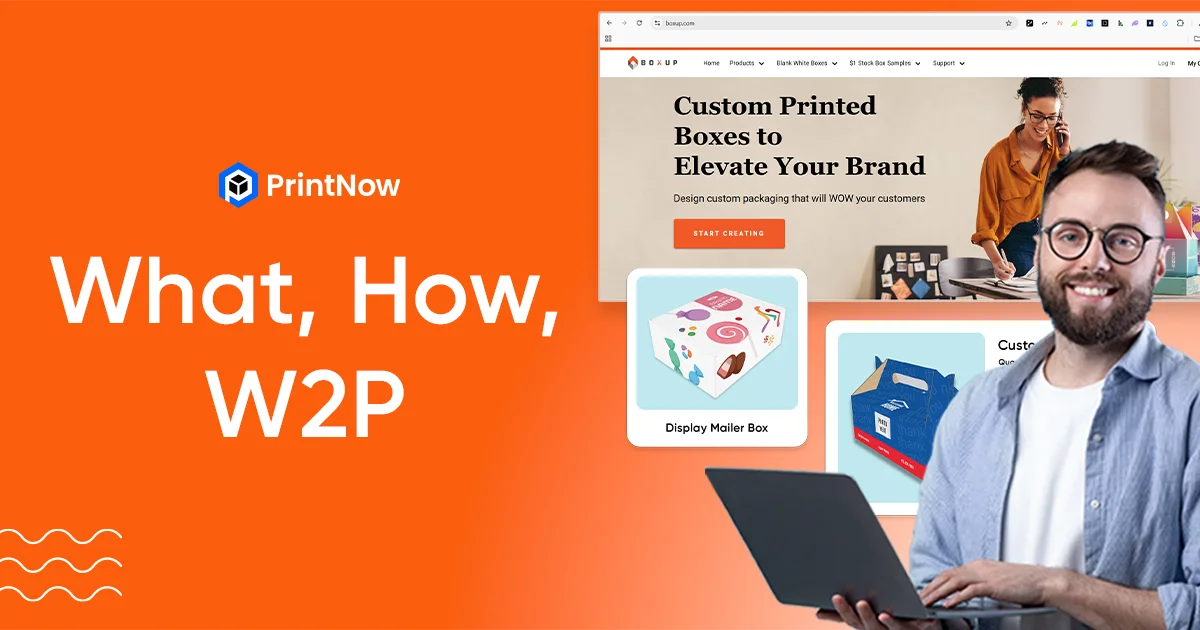
Web-to-print (also written as W2P or web2print) is software that lets customers design, customize, and order printed products through an online storefront — while automating the production workflow on the printer's side. It replaces manual quoting, email-based file exchange, and phone orders with a self-service ecommerce experience purpose-built for print.
In one sentence: web-to-print turns print into a real ecommerce category by combining a configurable storefront, an in-browser design editor, a live pricing engine, and direct routing to production — all in one platform.
For print businesses, web-to-print is the bridge between traditional print operations and modern online commerce. Instead of taking orders by phone and manually processing files, a web-to-print storefront lets customers configure products, see instant pricing, upload or design artwork, approve proofs, and pay — all without a single phone call.
How Web-to-Print Works
The web-to-print workflow connects three systems that traditionally operated in isolation: the customer-facing storefront, the design/proofing tools, and the production backend.
1. Customer browses and configures a product. The online storefront presents your product catalog with options for size, material, quantity, finishing, and turnaround time. A dynamic pricing calculator shows the price in real time as the customer makes selections.
2. Customer designs or uploads artwork. Depending on the product, the customer either uploads a print-ready file, selects a pre-built template and personalizes it in an online design editor, or works with a parametric tool like Print CAD for structural packaging.
3. Customer approves a proof. The platform generates a visual proof — often including 2D and 3D previews — so the customer can verify their design before committing. This eliminates the back-and-forth proofing cycles that eat into turnaround time.
4. Customer places the order and pays. The checkout process handles tax calculation, shipping estimates, and payment processing through integrated gateways like Stripe.
5. The system processes the order automatically. On the backend, the web-to-print platform generates print-ready files, creates job tickets, and routes the order to production. For standard jobs, this happens with zero manual intervention — straight-through processing from order to press.
6. The printer fulfills and ships. The order management system tracks production status, handles shipping, and keeps the customer informed throughout.
This end-to-end automation is what separates web-to-print from a basic ecommerce website with a file upload form. Every step — from pricing to proofing to file preparation — is built specifically for the print industry.
Types of Web-to-Print Solutions
Web-to-print isn't one-size-fits-all. Different print businesses serve different markets, and the platform needs to match.
B2C Web-to-Print Storefronts
B2C storefronts sell directly to consumers — business cards, wedding invitations, photo books, marketing materials, custom apparel, and more. They emphasize ease of use, self-registration, instant pricing, and a polished shopping experience. The customer base is broad, orders are typically smaller, and volume comes from high transaction counts.
B2B Web-to-Print Portals
B2B portals serve business clients who need ongoing access to branded print materials. A corporate client might have a locked-down portal where employees order pre-approved business cards, letterhead, and marketing collateral — all within brand guidelines. B2B portals feature role-based access, approval workflows, volume pricing, and department-level budgets.
Trade Printer Web-to-Print
Trade printers sell to other print businesses, not end customers. Their web-to-print needs focus on bulk ordering, reseller pricing tiers, white-label storefronts, and integration with the reseller's own ordering systems. Multi-tenant architecture — where each reseller gets their own branded storefront from a single platform — is critical here.
Commercial Printer Web-to-Print
Commercial printers serve a mix of B2B and B2C clients across multiple product categories. They need a platform flexible enough to handle everything from business cards to banners to bound books, with the ability to run multiple storefronts for different market segments from one admin.
Web-to-Pack (Packaging)
Web-to-pack extends web-to-print into custom packaging — corrugated boxes, folding cartons, flexible packaging, and labels. Customers configure structural dimensions, apply branding, preview in 3D, and order online. This requires specialized CAD tools for structural design, which is why most web-to-print platforms don't offer it.
Large Format Web-to-Print
Large format printing — banners, signage, posters, vehicle wraps, trade show displays — has unique requirements around oversized file handling, material options, and finishing. Web-to-print platforms serving this segment need design tools that handle large canvas sizes and pricing engines that account for square footage, material waste, and finishing complexity.
Print-on-Demand
Print-on-demand produces items only after they're ordered, with no minimum quantities. This model is popular for custom apparel, promotional products, and niche publishing. The web-to-print platform handles per-unit pricing, mockup generation, and integration with fulfillment partners.
Key Features of Web-to-Print Software
Online Design Editor
The design editor is where customers spend the most time. A modern web-to-print editor runs entirely in the browser — no plugins, no downloads — and supports templates, text editing, image upload, variable data, and real-time 2D/3D product previews. The editor should produce print-ready output: PDF with bleed, crop marks, and CMYK color support.
Dynamic Pricing Engine
Print pricing is complex. Material, quantity, size, finishing, turnaround time, and shipping all affect the final price. A print estimating engine calculates quotes in real time as customers configure their orders, eliminating the need for manual quoting and letting customers self-serve 24/7.
Multi-Tenant Storefront Architecture
A single platform instance should support multiple branded storefronts — each with their own domain, theme, product catalog, pricing, and customer base. This multi-store architecture is essential for trade printers, commercial printers serving multiple clients, and any operation that needs to segment their market.
Workflow Automation
The gap between order placement and production is where print businesses lose the most time. Web-to-print platforms should automate production workflows — file validation, preflight, imposition, job ticketing, and handoff to your print MIS system. Standard jobs should flow from order to press with zero manual touchpoints.
Administration and Reporting
Running a web-to-print operation means managing products, customers, orders, and content across potentially dozens of storefronts. A unified admin dashboard that gives you visibility across everything — without switching between separate tools — is essential at scale. Built-in reporting should cover sales, orders, tax, shipping, and customer activity.
API and Integrations
No web-to-print platform exists in a vacuum. It needs to connect with payment processors, shipping carriers, tax services, accounting software, CRM systems, and production equipment. A documented web-to-print API with REST endpoints and webhooks enables these connections. For print MIS integration, cXML protocol support (Presswise, OneFlow, SiteFlow) is the industry standard.
Hosting and Security
For most print businesses, cloud-hosted platforms offer the best balance of performance, security, and operational simplicity. Look for platforms running on enterprise infrastructure like Microsoft Azure with managed SSL, automatic scaling, and regular security updates.
Benefits of Web-to-Print for Print Businesses
24/7 order capture. Customers can browse, design, and order at any time — not just during business hours. This expands your effective selling hours without adding staff.
Reduced manual work. Automated quoting, proofing, file preparation, and job routing eliminate hours of daily manual processing. Your team focuses on exceptions, not routine orders.
Faster turnaround. When orders flow through automated workflows instead of waiting in inboxes, turnaround times compress. Straight-through processing means production starts faster.
Fewer errors. Automated preflight, template constraints, and system-generated job tickets reduce the artwork errors and miscommunication that cause costly reprints.
Higher order volume. Self-service ordering removes the bottleneck of manual quoting. You can process more orders without proportionally growing your team.
New revenue channels. Web-to-print opens online sales channels — B2C retail, B2B portals, trade reseller programs — that would be impractical to operate manually.
Scalability. Adding storefronts, product categories, and clients doesn't require proportional headcount increases. The platform scales; your team focuses on growth.
Benefits of Web-to-Print for Customers
Convenience. Browse products, configure options, see pricing, and place orders from anywhere — no phone calls, no emails, no waiting for quotes.
Design control. Online editors let customers personalize products themselves, from simple text changes on a template to fully custom designs. Real-time previews show exactly what they'll receive.
Transparent pricing. Dynamic calculators show the price as options are selected. No hidden costs, no surprises at checkout.
Faster delivery. Automated workflows mean orders reach production faster, which means customers receive their products sooner.
Self-service access. Order history, reorders, proof approvals, and tracking are available through customer dashboards — no need to contact the printer for routine status updates.
Web-to-Print vs. Traditional Print Ordering
| Traditional Print Ordering | Web-to-Print | |
|---|---|---|
| Quoting | Manual — email/phone, hours to days | Instant — dynamic pricing in real time |
| Design | Customer sends files, back-and-forth proofing | Self-service editor with live previews |
| Ordering hours | Business hours only | 24/7 online |
| File preparation | Manual preflight and correction | Automated validation and print-ready output |
| Job routing | Manual job tickets, email handoffs | Automated workflow to production |
| Order tracking | Phone/email status updates | Self-service dashboard |
| Scalability | Limited by staff capacity | Limited by platform, not headcount |
| Error rate | Higher — manual data entry | Lower — system-generated tickets |
How to Choose the Right Web-to-Print Platform
Match the platform to your business model
Start with your business model. Do you serve B2B clients, B2C consumers, or both? Do you need multi-store management? Do you handle packaging, large format, or standard commercial print? The answers determine which capabilities are must-haves.
Evaluate the full stack
Don't evaluate based on the storefront alone. Test the admin dashboard, the order management workflow, the design editor, the pricing engine, and the reporting. Run real scenarios from your business through the platform.
Check the integration depth
Surface-level integrations break at scale. Look for a platform with a documented API, webhook support, and proven connections to the systems you already use — payment gateways, shipping carriers, tax services, and print MIS.
Understand the hosting model
Cloud-hosted platforms on enterprise infrastructure offer automatic scaling, managed security, and lower operational overhead. Self-hosted solutions give more control but shift the burden onto your team.
Calculate total cost of ownership
Sticker price rarely tells the full story. Ask about implementation, training, additional storefronts, API access, and custom development. Review pricing structures and ask for a total cost of ownership breakdown.
Common Web-to-Print Implementation Mistakes
Starting with too many products. Launch with your top 10-20 products, validate the workflow, then expand. Trying to migrate your entire catalog on day one creates complexity that slows everything down.
Ignoring the pricing engine. If your pricing rules aren't configured properly, customers get wrong quotes, your margins erode, and your team spends time correcting orders. Invest time in pricing setup upfront.
Skipping staff training. The platform is only as effective as the people using it. Train your production team, customer service team, and sales team — not just your IT staff.
Not automating workflows. If you implement web-to-print but still manually create job tickets and route orders, you've built an expensive order form — not an automated print business.
Choosing based on features alone. A long feature list means nothing if the implementation is poor. Evaluate based on real scenarios from your business, not checkbox comparisons.
Web-to-Print Trends in 2026
AI-assisted design. AI tools are beginning to help customers generate designs, suggest layouts, and auto-correct file issues — reducing the barrier to entry for non-designers.
Packaging ecommerce. Custom packaging is one of the fastest-growing segments in print. Web-to-pack solutions that let customers configure structural packaging online — with 3D CAD tools and real-time previews — are expanding what's possible to sell through a web-to-print storefront.
API-first architecture. Print businesses increasingly need their web-to-print platform to connect with everything — ERP, CRM, MIS, shipping, payments. Platforms with robust web-to-print APIs and webhook ecosystems are pulling ahead.
Multi-channel selling. Print businesses are selling through their own storefronts, B2B portals, marketplace integrations, and embedded ordering in client systems (via punch-in/punch-out). The platform needs to support all channels from a single admin.
Sustainability. Customers and businesses are increasingly focused on sustainable printing — eco-friendly materials, reduced waste through print-on-demand, and carbon-offset shipping options.
Frequently Asked Questions
What does web-to-print mean?
Web-to-print (also written as web2print or W2P) is software that lets customers design, customize, and order printed products online. It automates the workflow between order placement and print production.
How is web-to-print different from print-on-demand?
Web-to-print is the platform — the storefront, design editor, pricing engine, and workflow automation. Print-on-demand is a business model where products are produced only after they're ordered. You can run a print-on-demand business on a web-to-print platform, but web-to-print also supports traditional offset runs, bulk ordering, and inventory-based fulfillment.
Who uses web-to-print?
Commercial printers, trade printers, print-on-demand businesses, corporate in-plant print operations, packaging companies, large format printers, and any print business that wants to sell products online with automated production workflows.
What's the difference between B2B and B2C web-to-print?
B2C web-to-print serves individual consumers with self-registration, retail pricing, and a public storefront. B2B web-to-print serves business clients with private portals, role-based access, approval workflows, and volume pricing. Most print businesses need both.
How much does web-to-print software cost?
Pricing models vary — SaaS subscriptions, revenue share, or license-based. The important thing is to evaluate total cost of ownership including implementation, training, and ongoing support. Review detailed pricing before committing.
Can web-to-print handle custom packaging?
Yes — with the right platform. Web-to-pack solutions extend web-to-print into structural packaging design, letting customers configure corrugated boxes, folding cartons, and labels with 3D previews and instant pricing. This requires specialized packaging CAD software that most web-to-print platforms don't include.